



Most Australian WordPress sites are leaving serious traffic on the table. 96.55% of webpages receive zero Google traffic, and the gap between those sites and the ones ranking on page one often comes down to setup, not effort. If your site isn’t pulling in consistent organic visitors, the good news is that targeted, practical changes can shift that quickly. This guide walks you through every essential step, from plugin selection and technical configuration to local SEO tactics built specifically for the Australian market.
Table of Contents
- What makes WordPress SEO essential for Australian businesses?
- Core WordPress SEO essentials: Tools, plugins and setup
- Step-by-step: Setting up your site for SEO success
- Content, local, and technical SEO: Optimising for the Australian market
- Common WordPress SEO mistakes and how to verify your results
- Partner with WordPress SEO experts for sustained growth
- Frequently asked questions
Key Takeaways
| Point | Details |
|---|---|
| Choose the right plugin | Pick one top-rated SEO plugin like Rank Math or Yoast and set it up thoroughly. |
| Prioritise local SEO | Optimise for Google Business Profile and local directories to boost your Australian search visibility. |
| Structure for results | Follow a strategic checklist including sitemaps, schema, speed, on-page and technical SEO fixes. |
| Measure and adapt | Monitor your results with Google Search Console and adapt your strategy every few months. |
| Expert help accelerates growth | Partnering with experienced SEO specialists prevents costly mistakes and gets results faster. |
What makes WordPress SEO essential for Australian businesses?
WordPress is the dominant platform for Australian business websites, and for good reason. It’s flexible, scalable, and when configured correctly, it’s an SEO powerhouse. WordPress powers 43% of all websites globally, and local SEO alone can lift Australian foot traffic by up to 150%. That’s not a small number.
For Australian SMBs, the stakes are real. Local SEO drives 28% of traffic for Australian small and medium businesses. When someone in Melbourne or Brisbane searches for a service you offer, you want to be the first result they see, not your competitor three suburbs over.
Here’s what solid WordPress SEO delivers for your business:
- Higher organic rankings for suburb and service-specific searches
- More qualified traffic from buyers actively looking for what you sell
- Reduced reliance on paid ads over time as organic visibility grows
- Stronger brand credibility through consistent search presence
- Better conversion rates because SEO traffic is high intent
Neglecting SEO means missing out on more than 70% of your potential online audience. Explore SEO performance strategies and what visibility and growth in 2026 looks like for Australian businesses to understand the full scope of the opportunity.
Core WordPress SEO essentials: Tools, plugins and setup
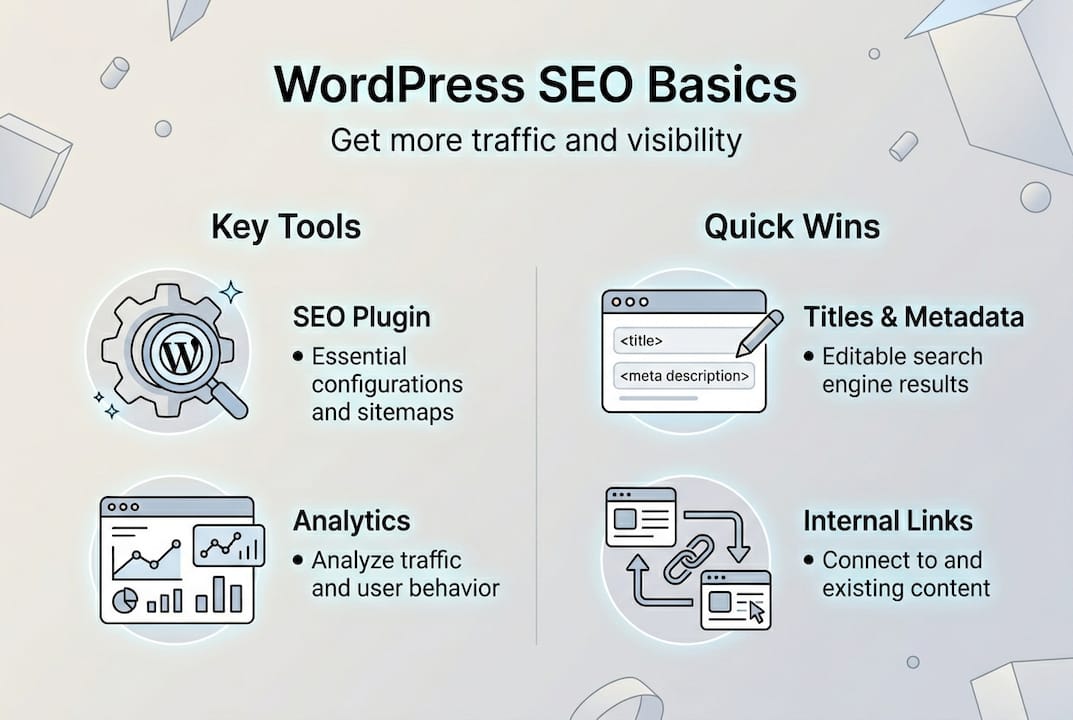
Before you optimise a single page, you need the right foundation. That starts with choosing an SEO plugin. Core WordPress SEO mechanics include installing an SEO plugin, setting up permalinks, enabling XML sitemaps, adding schema markup, building internal links, and improving site speed. Get these right first.
Here’s how the leading plugins compare:
| Plugin | Best for | Key strength | Free version? |
|---|---|---|---|
| Rank Math | Most users | Feature-rich, schema support | Yes |
| Yoast SEO | Beginners | Readability analysis | Yes |
| AIOSEO | WooCommerce stores | E-commerce SEO tools | Yes |
| SEOPress | Developers | Lightweight, flexible | Yes |
Rank Math is best free, Yoast suits those focused on readability, and AIOSEO is the go-to for WooCommerce. One critical rule: never install more than one all-in-one SEO plugin. They conflict with each other and can break your settings.
Beyond the plugin, your foundational setup checklist should include:
- Set your permalink structure to Post name (Settings > Permalinks)
- Enable your XML sitemap through your chosen plugin
- Verify your site is visible to search engines (Settings > Reading, uncheck the discourage box)
- Install a caching plugin such as WP Rocket or W3 Total Cache
- Connect a CDN (Content Delivery Network) to improve load times for Australian visitors
Pro Tip: If you’re building or rebuilding your site, the connection between WordPress web design and SEO is tighter than most people realise. A well-structured theme and clean code make every SEO task easier. Read more about the web development and SEO connection before you commit to a theme or page builder.
Step-by-step: Setting up your site for SEO success
With your plugin installed and basic settings configured, it’s time to work through the full setup. Follow this sequence:
- Connect Google Search Console and submit your XML sitemap
- Set up Google Analytics 4 (GA4) and link it to Search Console
- Optimise your page titles to under 60 characters with your target keyword
- Write meta descriptions between 155 and 160 characters for every key page
- Add heading structure using H1 for the page title, H2 for main sections, H3 for subsections
- Compress and label images with descriptive alt text including relevant keywords
- Add 3 to 5 internal links per post to related pages on your site
- Run a mobile performance test using Google’s PageSpeed Insights
- Add LocalBusiness schema markup for your business name, address, and phone number
- Check Core Web Vitals in Search Console and fix any flagged issues
On-page, technical, and off-page SEO are the three pillars of a strong strategy. A practical split is 60% effort on quick wins, 20% on business-as-usual maintenance, and 10% on long-term authority building.

| SEO type | What it covers | Priority |
|---|---|---|
| On-page | Titles, meta, content, headings, images | High |
| Technical | Core Web Vitals, robots.txt, sitemaps, speed | High |
| Off-page | Backlinks, citations, GBP, directories | Medium |
Optimise metadata with titles under 60 characters, meta descriptions between 155 and 160 characters, and 3 to 5 internal links per post. These small details compound over time. For a plain-language breakdown of how all this fits together, the SEO basics for business guide is a great starting point.
Pro Tip: Always back up your WordPress site before making major SEO or plugin changes. Use a plugin like UpdraftPlus to create a restore point. One wrong setting can take your site offline.
Content, local, and technical SEO: Optimising for the Australian market
Local SEO is where Australian businesses can gain a real edge. Your Google Business Profile (GBP) is the single most important local ranking factor outside your website. Keep your Name, Address, and Phone number (NAP) consistent across every platform, respond to reviews, and post updates regularly.
AU-specific local SEO tactics include optimising your GBP, maintaining NAP consistency, using local schema, targeting suburb keywords, and listing in Australian directories. Mobile accounts for 70% of local searches, so mobile usability is non-negotiable.
Here’s your local SEO action list:
- Add LocalBusiness schema to your homepage and contact page
- Target suburb and city-specific keywords in your page titles and content
- Submit your business to Yellow Pages, True Local, and Yelp Australia
- Encourage customers to leave Google reviews and respond to every one
- Test your site on mobile using Google’s Mobile-Friendly Test tool
- Use noindex tags on thin pages, tag archives, and author pages to avoid diluting your crawl budget
On the technical side, fix orphan pages, use 301 redirects for any 404 errors, and add schema markup to earn rich snippets in search results. These are often overlooked but they matter.
“Genuine local expertise and real customer signals will always outperform generic AI content in Australian local search results.”
For deeper guidance, the local SEO strategies page covers suburb targeting and citation building in detail. You should also review E-E-A-T for local search to understand how Google evaluates trust signals for Australian businesses.
Common WordPress SEO mistakes and how to verify your results
Even well-intentioned SEO efforts can go sideways. Here are the most common mistakes Australian WordPress site owners make:
- Installing multiple SEO plugins that conflict and override each other
- Leaving the search engine visibility box checked during development and forgetting to uncheck it
- Duplicate content from tag pages, category archives, and pagination
- Ignoring Google Business Profile and letting NAP data go inconsistent
- Thin or AI-only content without genuine local expertise or original insight
- Slow mobile load times from uncompressed images and bloated plugins
- No internal linking strategy, leaving pages as orphans with no link equity
Plugins alone don’t guarantee rankings. SEO requires strategy, technical improvements, and quality content working together. A plugin is a tool, not a solution.
“An SEO plugin is your foundation, not your finish line. Rankings come from consistent strategy, not a single install.”
To measure your progress, use Google Search Console to track impressions and clicks, and GA4 to monitor sessions, bounce rate, and conversions. Expect 3 to 6 months for measurable SEO gains after consistent optimisation. Watch trends over that window rather than reacting to week-by-week fluctuations.
Pro Tip: Set up a monthly SEO review in your calendar. Check Search Console for any new errors, review your top-performing pages, and identify one or two pages to improve each month. Consistency beats intensity every time.
If content is a bottleneck, professional SEO content writing can help you produce optimised, locally relevant content at scale without sacrificing quality.
Partner with WordPress SEO experts for sustained growth
The steps in this guide give you a solid, actionable framework for improving your WordPress SEO. You can absolutely implement many of these yourself. But as your site grows and competition increases, the details get more complex and the cost of missing a step gets higher.
At Design Box Digital, we’ve spent over 20 years helping Australian businesses build and maintain high-performing WordPress sites. From technical audits and plugin configuration to local SEO and content strategy, our team makes sure nothing is missed. Whether you’re starting from scratch or looking to improve an existing site, our SEO services are built around your specific goals. Explore our proven SEO strategies or get a clear picture of SEO explained before your next step. We’re here to help you grow.
Frequently asked questions
Which WordPress SEO plugin is best for Australian business websites?
Rank Math is best for most users due to its free feature set, Yoast suits beginners focused on readability, and AIOSEO is the strongest option for WooCommerce stores. Never run more than one all-in-one plugin at a time.
How long does it take to see SEO results with WordPress?
Most Australian businesses should expect 3 to 6 months for measurable results after consistent optimisation. Results depend on competition, content quality, and how well your technical setup is configured.
What are the most common WordPress SEO mistakes to avoid?
The biggest pitfalls are poor plugin setup, duplicate content from archive pages, ignoring your Google Business Profile, and relying too heavily on AI-generated content. Plugins don’t guarantee rankings without a broader strategy behind them.
How can I improve my local SEO using WordPress?
Optimise your Google Business Profile, add LocalBusiness schema to your site, target suburb-specific keywords in your content, and submit to AU directories like Yellow Pages and True Local for consistent citations.
Does using an SEO plugin guarantee top Google rankings?
No. Plugins are foundational but rankings require strategic content, technical tuning, quality backlinks, and local optimisation working together over time.